Viewing and Exporting Usage Data
Enterprise Plans only
If you're the owner of the overall Sauce Labs account, you can view usage information for all accounts on the Organization Management page. If you're an individual user, you can view your usage information on the My Account page.
Additional Usage charts and export options are available in Usage report under Insights.
Usage Data - USERS Tab
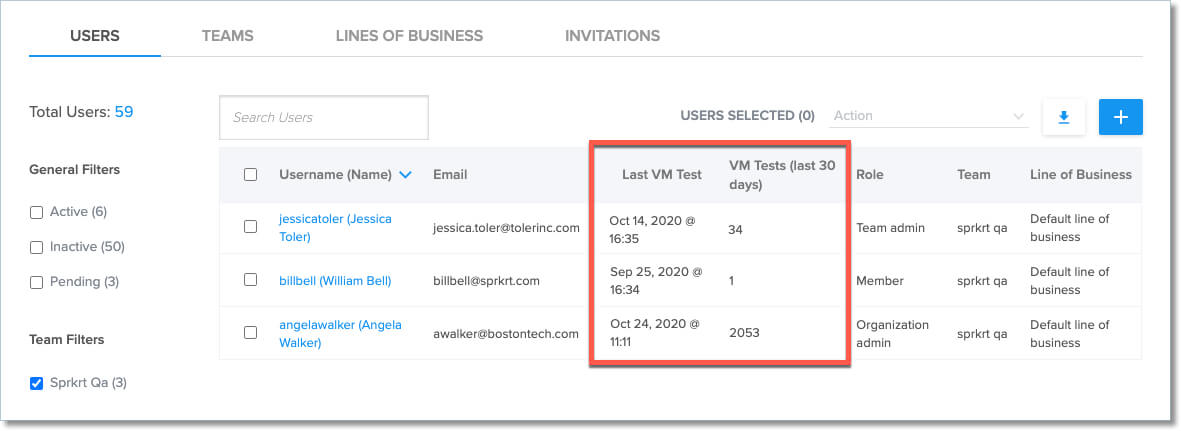
The USERS tab on the Organization Management page provides the following information for each user:
| Column | Description |
|---|---|
| Last VM Test | The date and time of the last VM test run by the user. |
| VM Tests (last 30 days) | The total number of tests run by that user in the previous 30 days. |
Usage Data - TEAMS Tab
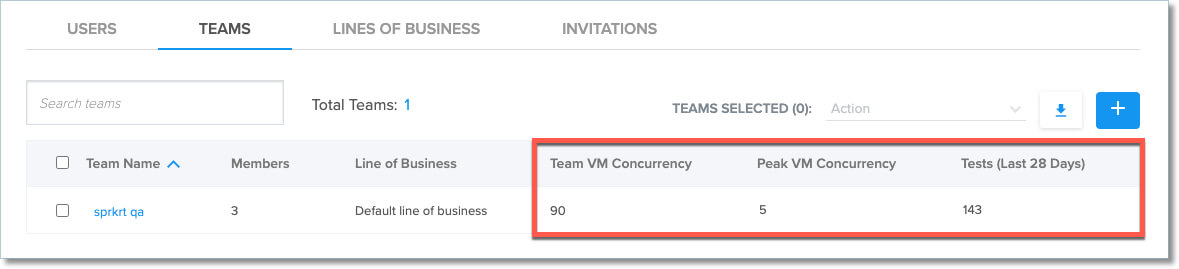
The TEAMS tab on the Organization Management page provides the following information for each team:
| Column | Description |
|---|---|
| Active Members | Current number of active team members. |
| Team VM Concurrency | The concurrency set for the team, covering all virtual platforms, Windows, Android, Linux, and Mac |
| Team Mac VM Concurrency | The concurrency set for the team, specifically for Mac x86 tests |
| Team Real Device Concurrency | The concurrency set for the team, covering Real Device tests |
| Peak VM Concurrency | The highest number of concurrent tests run during a single session on a virtual machine, including web browser, emulator, and simulator tests, in the previous 28 days. |
| Tests (Last 28 Days) | The number of tests run by the team in the last 28 days. |
USAGE Widget
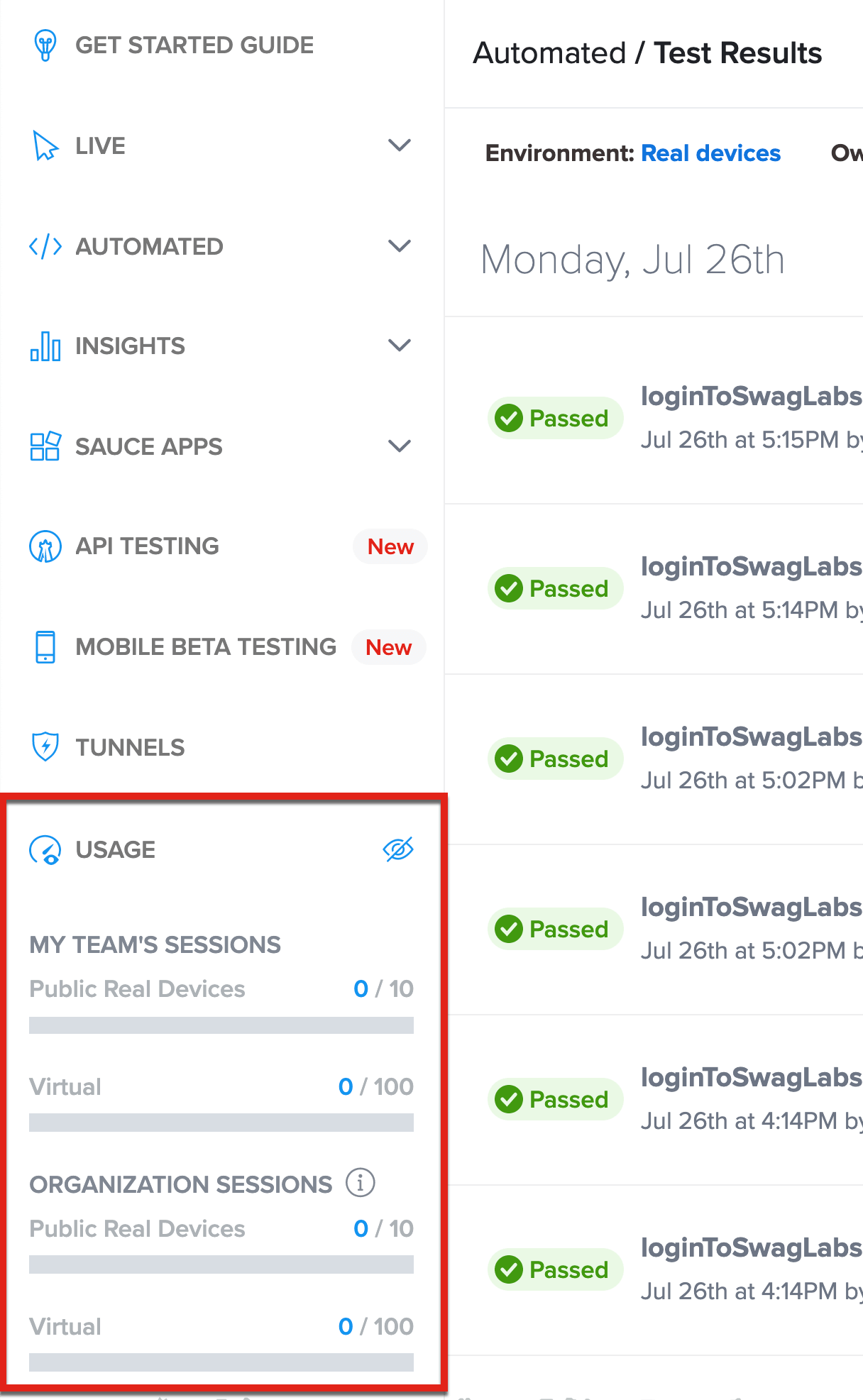
The USAGE widget provides a quick look at the device usage, by test session, for your team and organization.
Minutes Used vs. Concurrency
One way to tell if you're getting the most efficient use out of your Sauce Labs plan is to compare the minutes used with the number of concurrent tests run during the same period. If the ratio of minutes to concurrency is low, for example, 2:1 (100 minutes:50 concurrent tests), then you are using a lot of minutes to run very few tests. You should redesign your tests to take greater advantage of concurrency. See Scaling Tests and Managing Concurrency for more information.
Exporting Usage Data
You can export a .csv file that contains the usage information for selected accounts.
-
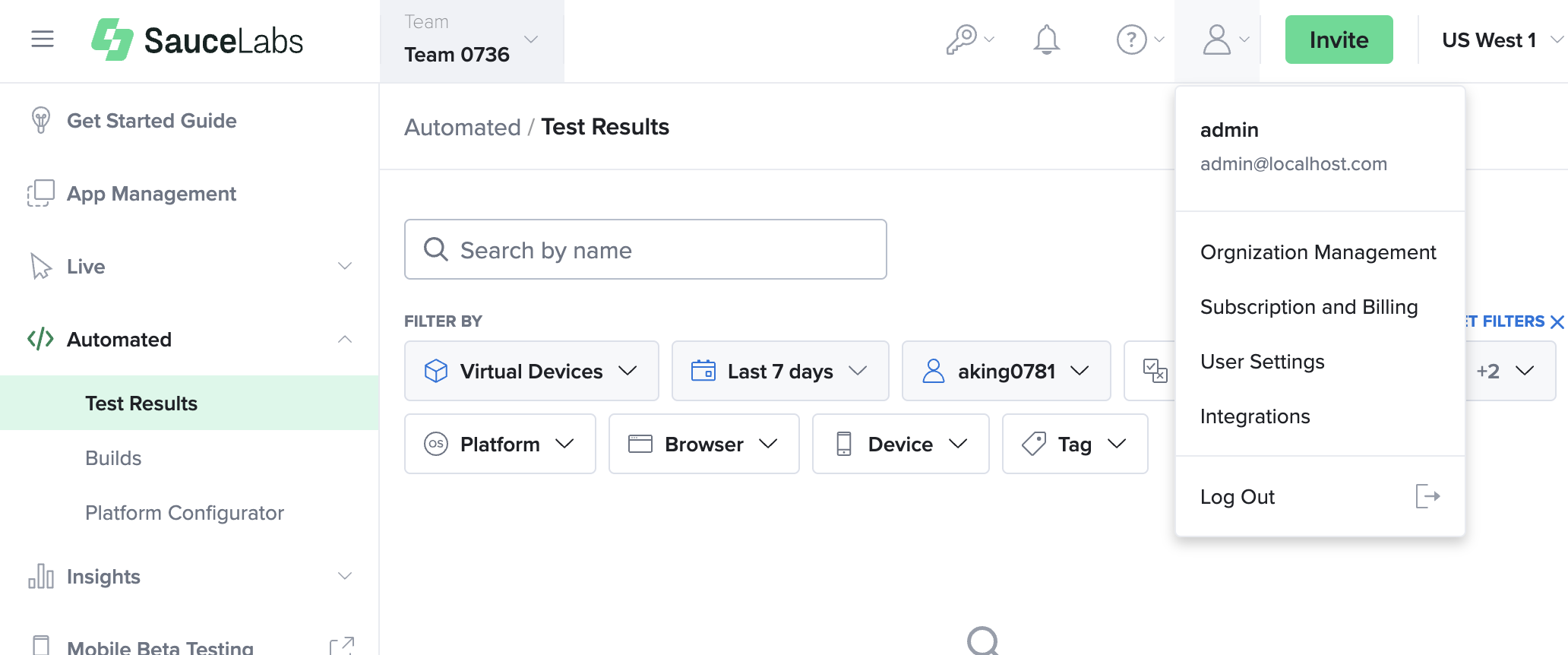
In Sauce Labs, click ACCOUNT and then click Organization Management.
-
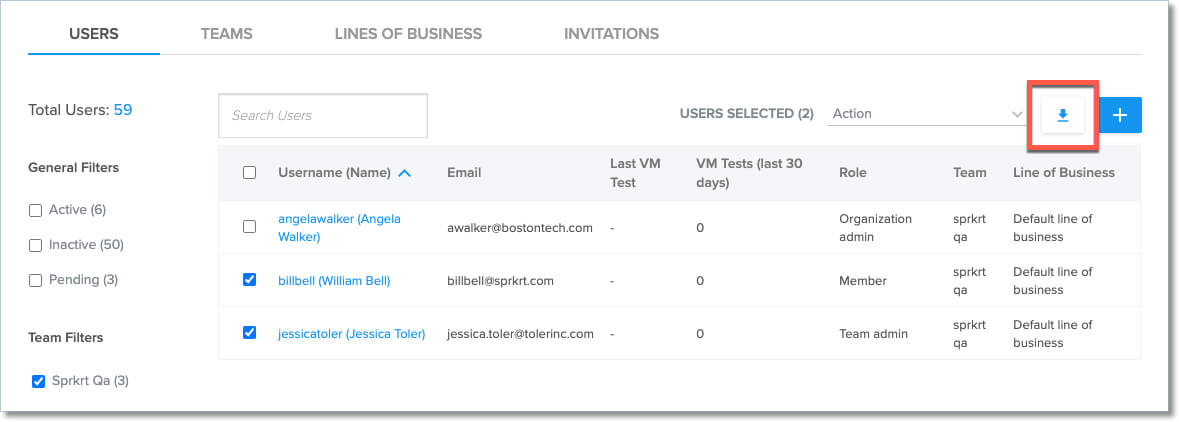
On the USERS tab, select the checkboxes of the users whose usage information you want to export.
-
Next to USERS SELECTED, click the download button.