View Coverage Reports
The Coverage report provides a breakdown of the browsers, devices, and operating systems used to run tests across your organization. Use the report to review which environments are covered by your testing and understand how your tests are distributed across different browsers, devices, and operating systems.
The report displays the number of test sessions and total test duration for each environment, along with a visual bar chart that makes it easier to compare coverage.
Access the Coverage Report
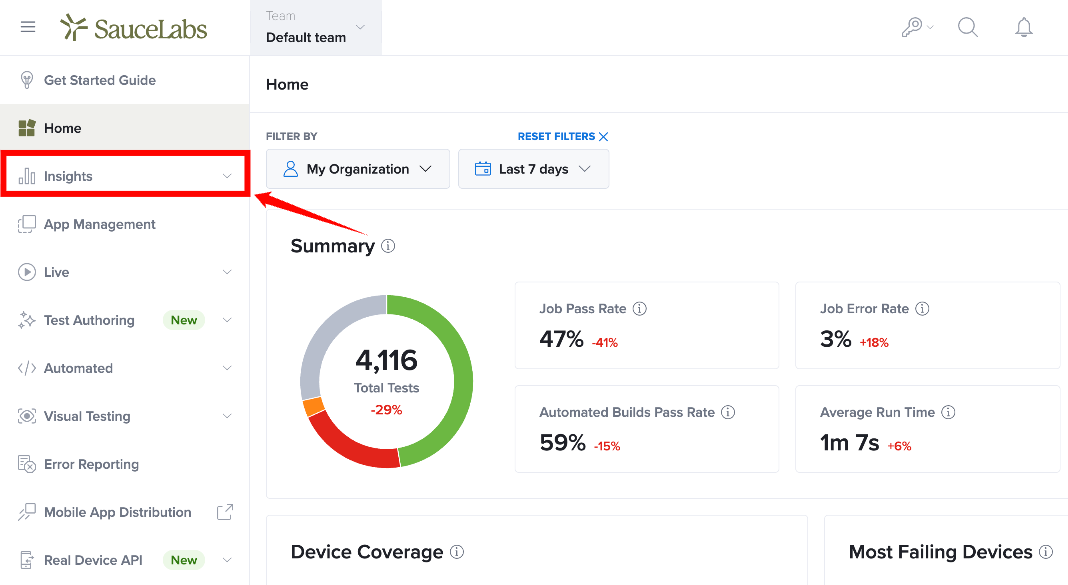
Step 1: Inside your Sauce Labs account, navigate to the left-side menu, locate Insights, and click it to expand the available options.
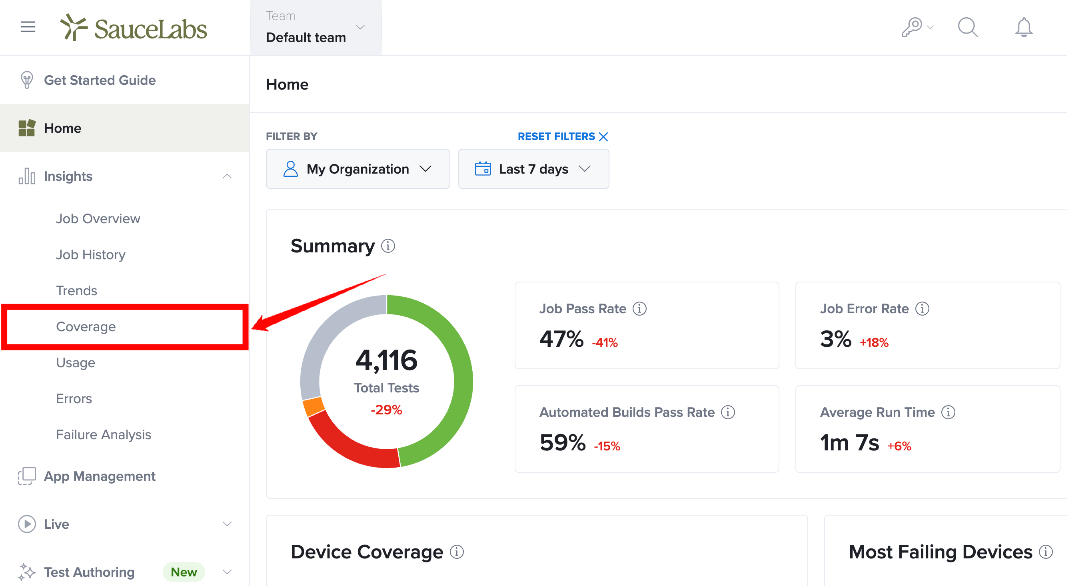
Step 2: From the expanded Insights menu, select Coverage.
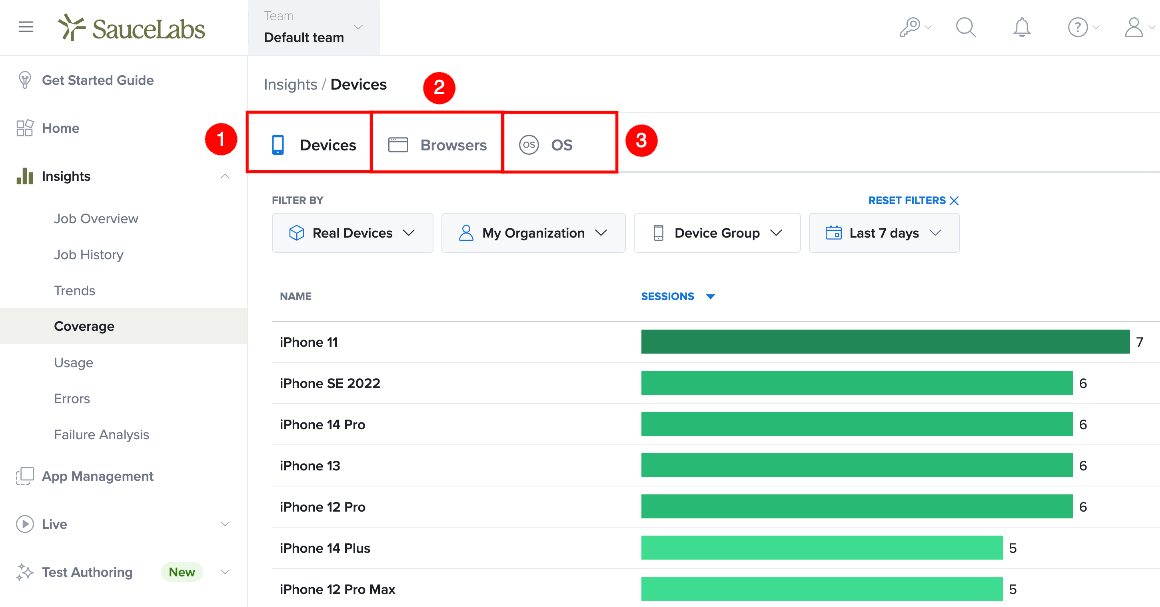
Step 3: The Coverage report opens with the Devices tab selected by default. The report displays coverage data for the devices used in your test executions.
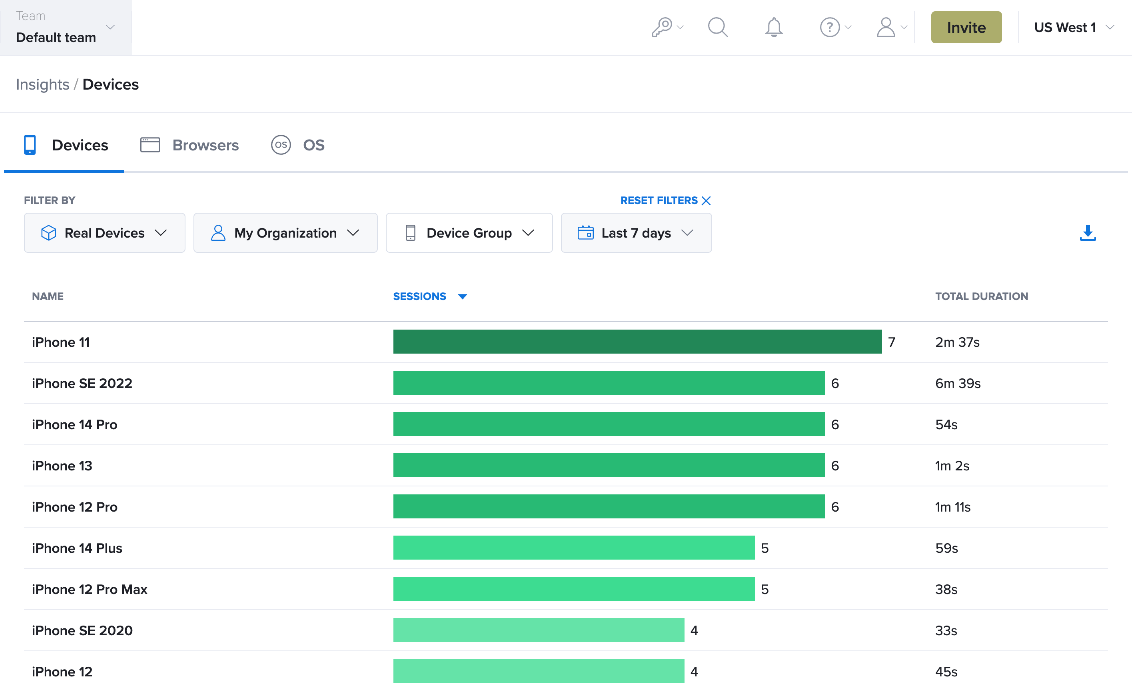
Step 4: At the top of the Coverage report, select the tab for the type of coverage you want to review.
| Ref. | Coverage Type | Description |
|---|---|---|
| 1 | Devices | Displays coverage data for the devices used to run your tests. |
| 2 | Browsers | Displays coverage data for the browsers used to run your tests. |
| 3 | OS | Displays coverage data for the operating systems used to run your tests. |
View Device Coverage
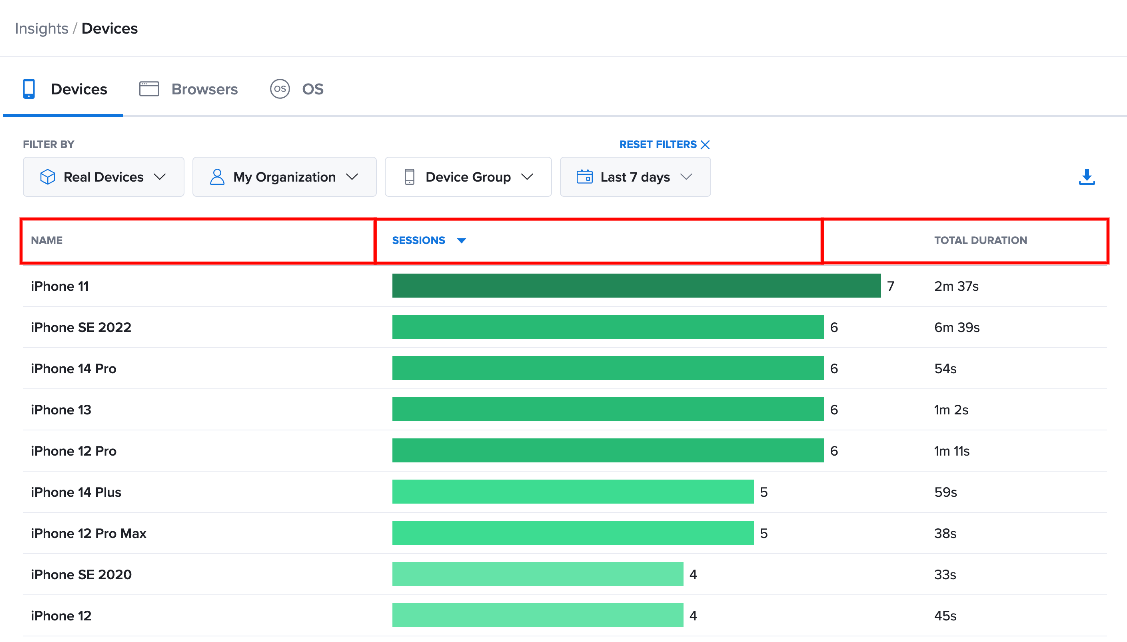
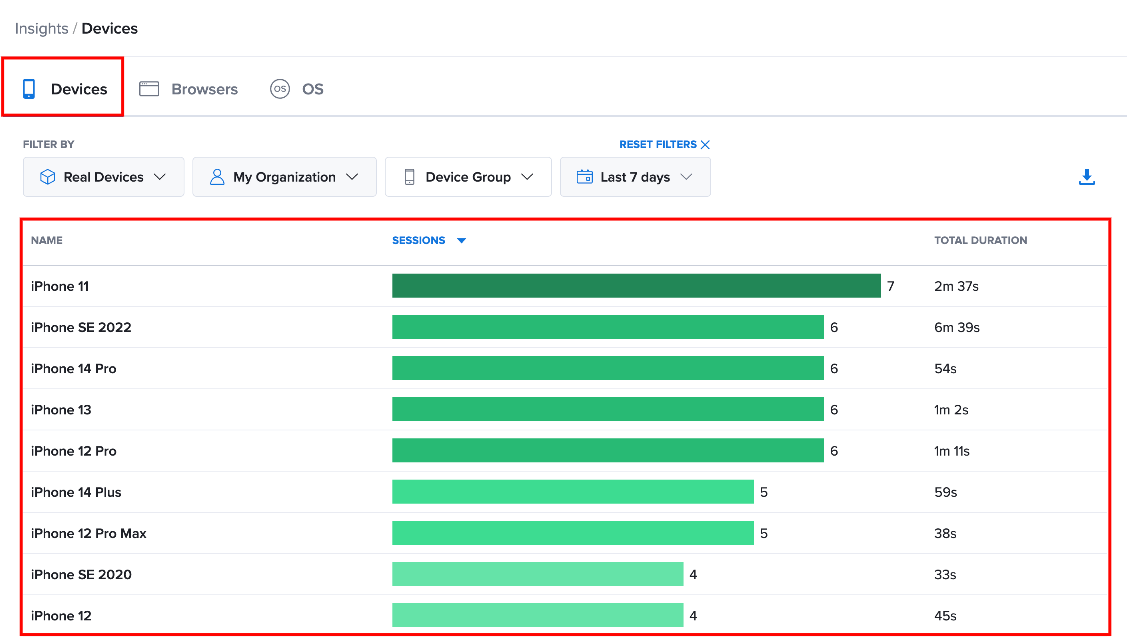
Select Devices to view the devices used to run your tests. The report displays each device along with the number of Sessions and Total Duration.
The Sessions column also provides a visual representation of test activity, making it easier to compare how frequently each device was used.
View Browser Coverage
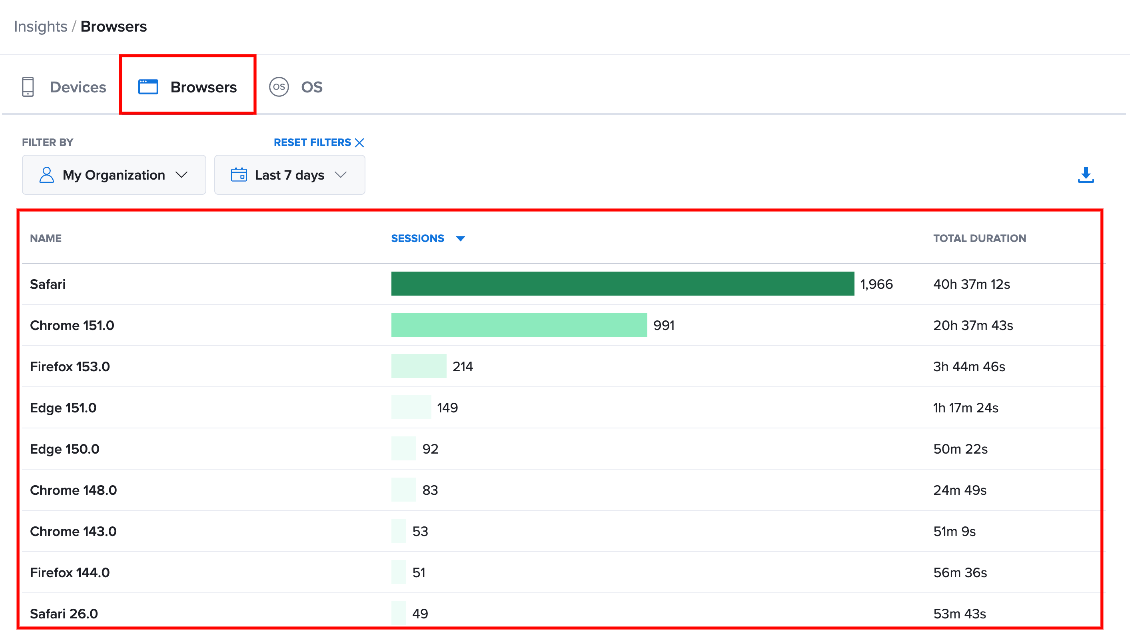
Select Browsers to view the browsers used to run your tests. The report displays the browser Name, number of Sessions, and Total Duration.
Use this view to compare testing activity across the browsers included in your test executions.
View OS Coverage
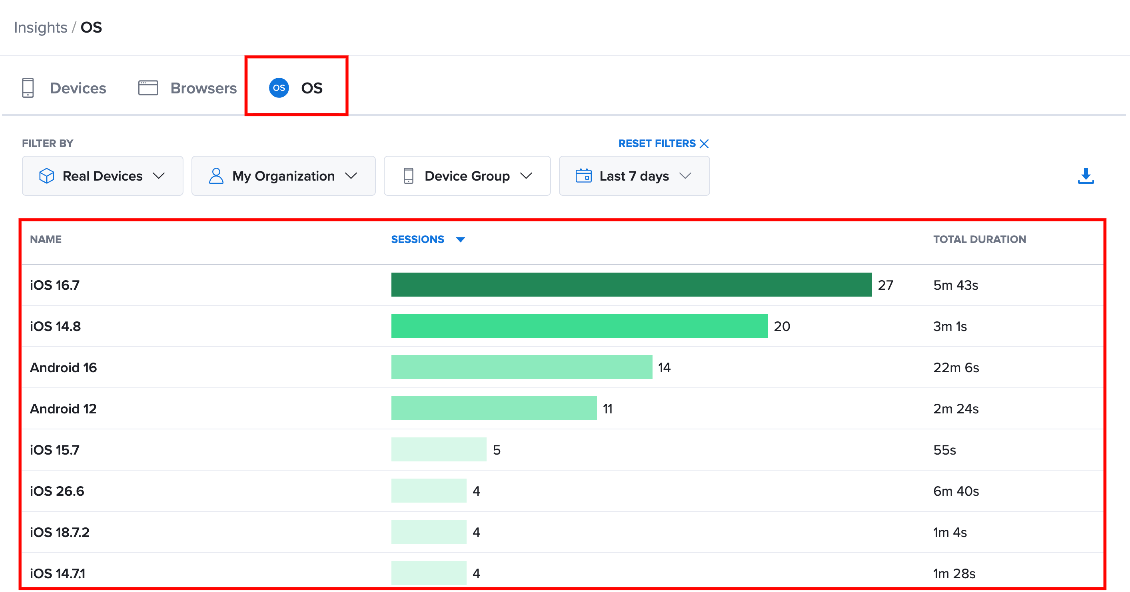
Select OS to view the operating systems used to run your tests. The report displays the operating system Name, number of Sessions, and Total Duration.
Use this view to compare testing activity across the operating systems included in your test executions.
Sort Coverage Data
By default, coverage data is sorted by the number of Sessions. Select a column heading to change the sorting criteria, and select it again to toggle between ascending and descending order.
For example, selecting Name sorts the devices, browsers, or operating systems alphabetically.